
iStore WLAN WIFI Dongle
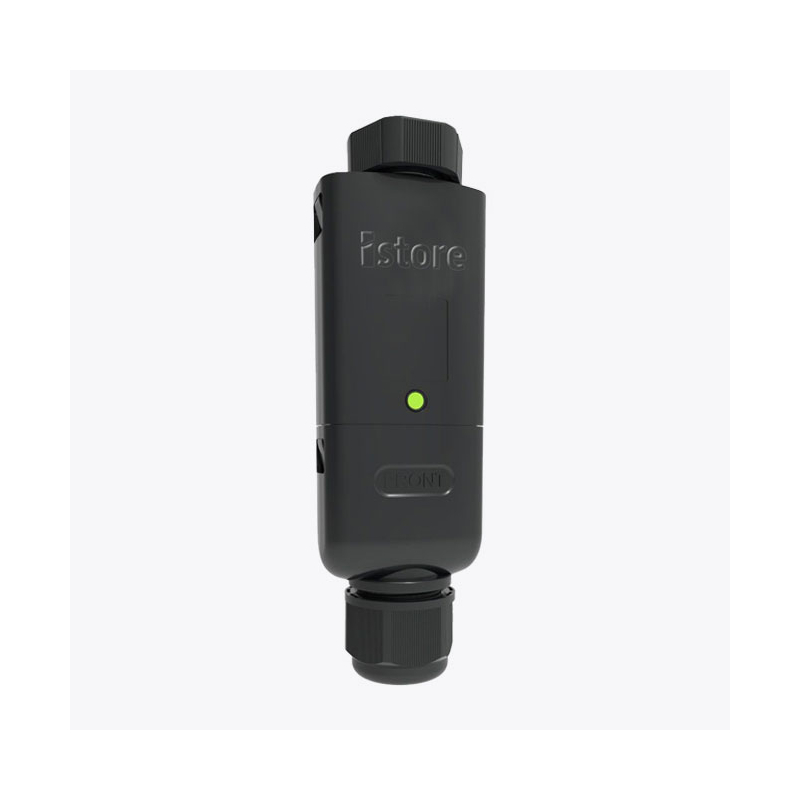
iStore WLAN WIFI Dongle
Features
- High-speed wireless connectivity
- Compatibility with iStore products
- Easy installation
- Real-time alerts
- Must-have device for multi-inverter sites
Availability:In stock
SKU IS-DONGLE-WLAN
What Is a WLAN Dongle?
WLAN stands for Wireless Local Area Network, referring to a network that allows devices to wirelessly connect and communicate within a limited area, like a home or business.
The iStore WLAN dongle enables wireless communication between your iStore solar inverter and your Wi-Fi network so you can monitor and control your solar energy setup remotely via cloud-based platforms and mobile apps.
Features of the iStore WLAN Dongle
High-speed wireless connectivity: Access real-time data and monitor your solar system's performance with fast, reliable wireless communication.
Compatibility with iStore products: Connect to iStore inverters, batteries, and other istore devices for seamless solar system integration, operation, and management.
Easy installation: No complex setups or tools are required—just plug in the dongle, follow a few simple steps, and you're ready to start monitoring your solar system remotely.
Real-time alerts: Receive instant notifications if there's a drop in performance, system faults, or when maintenance is needed to keep your system running at its best.
Must-have device for multi-inverter sites. Allowing for complex master-slave designs
Benefits of Enhanced Connectivity
Remote monitoring: Easily track and control solar energy production from your smartphone or computer.
Improved energy management: Adjust the energy consumption of your home or business and maximise energy bill savings thanks to receiving real-time data about your system’s solar production.
Ensuring Security with Your iStore WLAN Dongle
It’s important that only you and other trusted users can connect to your system and that hackers and unwanted users are kept out.
Follow these tips for securing your WLAN dongle connection:
- Choose a unique, hard-to-guess password for your Wi-Fi network and update it regularly.
- Use WPA3 or WPA2 Wi-Fi network encryption to secure communication between your devices. This security feature protects your data by scrambling it, making it harder for unauthorised users to access your network. Log into your router’s admin panel and select WPA3 or WPA2 encryption under the "Wi-Fi Security" or "Encryption" options.
- Regularly check for software updates for your iStore WLAN dongle to stay protected against security vulnerabilities.
- Regularly review the devices connected to your network to spot any unfamiliar or suspicious activity.
As well as improving overall security, regular software updates will keep your WLAN dongle functioning optimally. Periodically rebooting your router and dongle will also help refresh connections and ensure smooth operation.
General Data
| Operating temperature range |
|---|